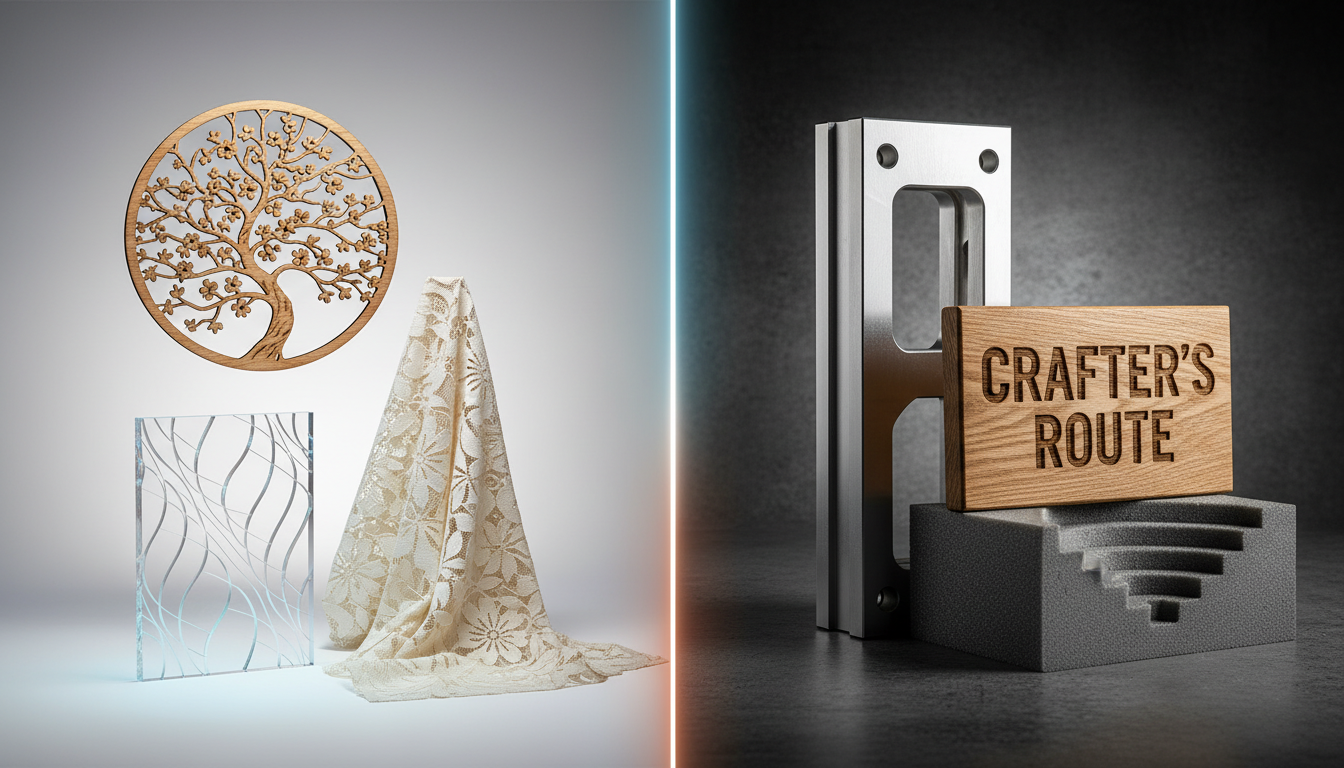
Compare CO2 lasers and CNC routers to determine which machine fits your needs. Understand the differences in materials, capabilities, costs, and when you might need both.
Understanding the Core Difference
CO2 lasers and CNC routers both cut and shape materials, but they work in fundamentally different ways—and that difference determines which machine is right for your applications.
CNC Router: Mechanical Material Removal
A CNC router uses a spinning cutting bit to physically remove material, similar to a handheld router but computer-controlled. The bit contacts the material, carving away chips to create the desired shape. This is subtractive manufacturing through mechanical cutting.
CO2 Laser: Thermal Vaporization
A CO2 laser uses an intense beam of infrared light to heat material until it vaporizes or burns away. There's no physical contact—the beam does all the work. This is subtractive manufacturing through thermal energy.
What This Means in Practice
- Kerf width: Router cuts are as wide as the bit (1/8" to 1/2" typical). Laser kerf is much thinner (0.1-0.3mm).
- Edge character: Routers leave tool marks; lasers leave burn marks or polished edges (depending on material).
- Depth capability: Routers excel at thick material; lasers work best on thin material.
- Detail level: Lasers achieve finer detail; routers can't cut features smaller than the bit diameter.
Materials: Where Each Machine Excels
CNC Router Strengths
MaterialCapabilities Thick wood (1"+)Excellent—designed for this Plywood (all thicknesses)Excellent MDFExcellent Aluminum (soft alloys)Good with proper tooling HDPE/Plastic sheetsExcellent Foam (signage/packaging)Excellent Solid surface (Corian)Excellent Composite panelsGood to excellentCO2 Laser Strengths
MaterialCapabilities Acrylic (up to 20mm)Excellent—polished edges Thin wood (up to 12mm)Excellent LeatherExcellent Fabric/textilesExcellent—sealed edges Paper/cardboardExcellent—intricate detail Rubber (stamps)Excellent Glass (engraving)Good Coated metals (marking)GoodOverlap Materials
Both machines handle plywood, MDF, and thin hardboard. The choice depends on:
- Thickness: Laser for thin, router for thick
- Edge requirements: Laser for dark edges (character), router for clean edges (paint-ready)
- Detail level: Laser for fine detail, router for larger features
- 3D needs: Only routers can carve 3D shapes
Material Exclusions
- CNC Router only: Thick plastics, aluminum, foam board, composite panels
- CO2 Laser only: Leather, fabric, rubber, paper (delicate work)
- Neither: Steel (fiber laser needed), stone (specialty tooling needed)
Cutting Capabilities Compared
Maximum Thickness
MaterialCNC RouterCO2 Laser (100W) Plywood2"+ (full depth)12mm typical MDF2"+15mm typical Acrylic2"+20mm typical Hardwood3"+10mm typicalEdge Quality
- CNC Router: Tool marks visible, may need sanding. Clean edges ready for finishing. No discoloration.
- CO2 Laser: Acrylic gets polished "flame" edge. Wood gets characteristic dark edge. No sanding needed but color present.
3D Capabilities
- CNC Router: Full 3D carving with ball nose bits. Relief carving, 3D signs, sculptural work.
- CO2 Laser: 2D only. Can vary engrave depth but not true 3D carving.
Detail and Precision
- CNC Router: Limited by bit diameter. Minimum feature size = bit size. Typical 1/8" (3mm) minimum.
- CO2 Laser: Extremely fine detail. Text at 3-4mm height is readable. 0.1mm features possible.
Project Types: Matching Machine to Application
Sign Making
- Dimensional letters (thick): CNC Router
- Acrylic faced signs: CO2 Laser
- Engraved plaques: CO2 Laser
- Routed HDU signs: CNC Router
- Cut vinyl (print-to-cut): CO2 Laser with CCD
Furniture and Cabinetry
- Cabinet parts: CNC Router (nested cutting)
- Decorative inlays: CO2 Laser (precision parts) + CNC Router (pockets)
- Joinery: CNC Router
- Surface decoration: CO2 Laser engraving
Craft and Maker Projects
- Leather goods: CO2 Laser
- Fabric crafts: CO2 Laser
- Wooden puzzles: CO2 Laser (thin) or CNC Router (thick)
- Model making: CO2 Laser (detail) + CNC Router (structural)
Industrial and Manufacturing
- Gaskets and seals: CO2 Laser
- Plastic parts: CNC Router (thick) or CO2 Laser (thin acrylic)
- Packaging prototypes: CO2 Laser (die lines) + CNC Router (structural)
- Jigs and fixtures: CNC Router
Operational Considerations
Dust vs. Fumes
- CNC Router: Produces chips and dust. Requires dust collection system. Chips are manageable solid waste.
- CO2 Laser: Produces smoke and fumes. Requires fume extraction to outside or filtration. Some materials produce unpleasant or hazardous fumes.
Noise Levels
- CNC Router: Loud—spindle noise plus cutting noise. Hearing protection recommended. Not suitable for quiet environments.
- CO2 Laser: Quieter—mostly fan noise from exhaust and cooling. Enclosed machines are relatively quiet.
Safety Requirements
- CNC Router: Moving parts hazard. Chip ejection. Requires enclosure or safety distance. Material hold-down critical.
- CO2 Laser: Invisible beam hazard. Fire risk. Requires proper enclosure. Class 4 laser safety protocols.
Consumables
- CNC Router: Router bits wear and need replacement. Cost varies by material hardness and run time.
- CO2 Laser: Laser tube has finite life (3,000-10,000 hours). Mirrors and lenses need periodic replacement.
Investment Analysis
Entry-Level Machines
- CNC Router: $3,000-$8,000 for hobby/light commercial
- CO2 Laser: $500-$3,000 for desktop units
Production-Grade Machines
- CNC Router: $15,000-$50,000 for 4x8 commercial routers
- CO2 Laser: $5,000-$20,000 for professional units
Operating Costs
- CNC Router: Bits ($20-$200 each, variable life), dust collection bags/filters
- CO2 Laser: Tube replacement ($200-$1,000 every 2-5 years), chiller maintenance
When You Need Both Machines
Many successful shops run both technologies because they complement each other:
Sign Shop Workflow Example
- CNC Router cuts 1" HDU sign blank and routes pocket for acrylic face
- CO2 Laser cuts acrylic face to exact shape with polished edges
- CO2 Laser engraves text/graphics on face
- Assembly creates dimensional sign with crisp detail
Production Shop Workflow
- CNC Router handles structural cutting and 3D work
- CO2 Laser handles decoration, marking, and detail work
- Different machines optimized for different tasks = maximum efficiency
Makerspace Considerations
Having both machines available lets users choose the right tool for each project, attracting a wider membership base and enabling more project types.
Making Your Decision
Choose CNC Router If:
- You primarily work with thick materials (1"+)
- You need 3D carving capability
- You work with aluminum or plastics
- Edge discoloration is unacceptable
- You're cutting cabinet parts or furniture components
Choose CO2 Laser If:
- You primarily work with thin materials (under 1/2")
- You need fine detail and precision
- You work with leather, fabric, paper, or rubber
- Acrylic with polished edges is important
- You're doing engraving work
Consider Both If:
- You have diverse project requirements
- You want to offer complete fabrication services
- Different projects need different capabilities
- Volume justifies the investment
Contact our team to discuss which machine—or combination—fits your specific applications. We can help you evaluate your project mix and recommend the right equipment.
Browse our CNC routers and CO2 lasers to compare options with full US support.
Ready to get started?
Browse our equipment inventory or get in touch with our team for expert advice on your next project.