Learn how CO2 laser engraving works, the best materials for engraving, popular applications, and how to choose the right engraver for your creative or business needs.
CO2 Laser Engraving vs. Cutting
While CO2 laser cutters and engravers often come in the same machine, engraving and cutting are distinct processes that require different approaches.
Cutting uses the laser at high power with slow movement to burn completely through material. The goal is a clean edge with minimal charring.
Engraving uses lower power and faster movement to remove material from the surface without cutting through. The goal is controlled depth, contrast, and detail—whether you're etching a design, marking text, or creating texture.
Most CO2 laser machines can do both, but the best machine for your needs depends on whether engraving or cutting is your primary application.
How Laser Engraving Works
Understanding the process helps you achieve better results:
Raster vs. Vector Engraving
Raster engraving works like an inkjet printer—the laser head moves back and forth, firing the laser in pulses to create images pixel by pixel. This is how you engrave photographs, complex graphics, and filled areas.
Vector engraving (also called scoring) follows paths in your design file. The laser traces lines at lower power than cutting. This is faster for outlines, text, and line art.
Key Settings That Affect Results
- Power: Higher power removes more material per pulse. Too high burns or chars.
- Speed: Faster speeds mean lighter engraving. Slower means deeper.
- DPI/Resolution: Dots per inch affects detail. Higher DPI = more detail but slower.
- Lines per inch (LPI): How close together the raster lines are. Higher = smoother gradients.
- Air assist: Keeps the lens clean and removes debris. Essential for clean results.
Finding the Right Settings
Every material needs different settings. Start with manufacturer recommendations, then dial in through testing. Keep a settings log—you'll reference it constantly.
Best Materials for CO2 Engraving
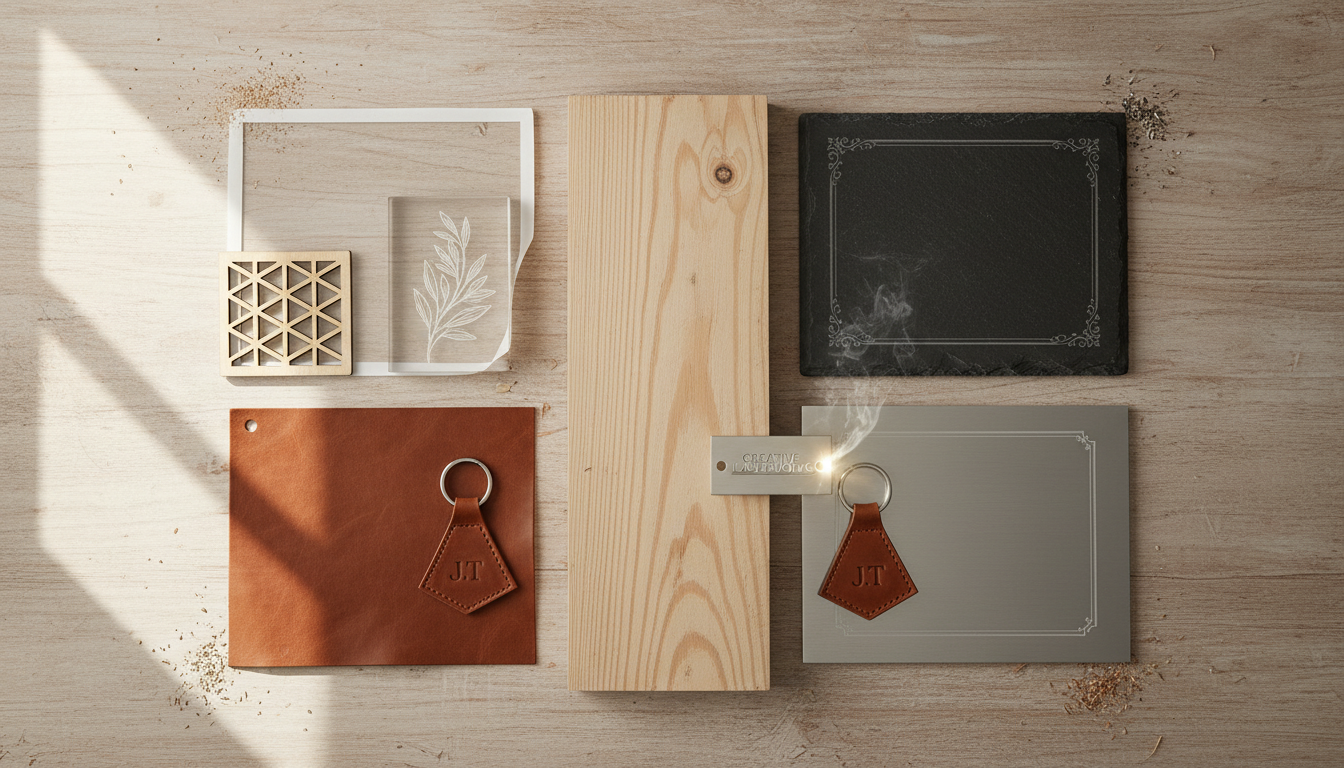
Wood
Wood is the most popular engraving material. Different woods produce different results:
- Cherry, maple, walnut: High contrast, beautiful results
- Baltic birch plywood: Consistent layers, clean engraving
- MDF: Uniform surface, dark engraving, budget-friendly
- Bamboo: Excellent contrast, eco-friendly option
Lighter woods generally show more contrast. Resinous woods (pine, fir) can be unpredictable.
Acrylic
Two types behave differently:
- Cast acrylic: Engraves to a frosted white—excellent contrast and appearance
- Extruded acrylic: Engraves clear/shiny—less contrast, harder to see
For engraving applications, always use cast acrylic. It costs more but the results are dramatically better.
Leather
Real leather engraves beautifully, creating a darkened, branded appearance. Excellent for:
- Wallets, belts, bags
- Personalized gifts
- Labels and patches
- Decorative items
Synthetic leather varies—test first. Some plastics release toxic fumes.
Glass
CO2 lasers create a frosted effect on glass by causing micro-fractures on the surface. Great for:
- Wine glasses and mugs
- Awards and trophies
- Decorative panels
- Mirrors (engrave from the back)
Apply masking or wet paper towels to prevent chipping. Use lower power than you'd expect.
Coated Metals
CO2 lasers cannot engrave bare metal, but they work great on:
- Anodized aluminum: Removes the colored anodizing to reveal silver
- Powder-coated metals: Burns through the coating
- Painted metals: Removes paint layer
- Marking compounds: Special sprays that bond to metal when lasered
Other Materials
- Paper/cardboard: Intricate designs, invitations, packaging
- Cork: Coasters, trivets, decorative items
- Fabric: Custom textiles, patches (test for synthetic content)
- Rubber: Custom stamps
- Stone/slate: Awards, coasters, signs
Popular Engraving Applications
Sign Making
Engraved signs are durable and professional:
- Business signage and plaques
- Directory signs
- Room numbers and nameplates
- Real estate signs
- ADA-compliant signage
Personalized Gifts
One of the most profitable applications:
- Cutting boards and kitchenware
- Picture frames
- Jewelry boxes
- Phone cases
- Keychains
- Pet tags
Awards and Recognition
- Trophies and plaques
- Corporate awards
- Sports memorabilia
- Graduation gifts
- Service awards
Leather Goods
- Custom wallets
- Personalized belts
- Branded bags and accessories
- Guitar straps
- Journal covers
Industrial Marking
- Serial numbers and part identification
- Barcodes and QR codes
- Compliance markings
- Logo branding
Desktop vs. Larger Format Engravers
Desktop Engravers (12" x 8" to 24" x 16")
Pros:
- Lower cost entry point
- Smaller footprint
- Adequate for most personalization work
- Good for testing business concepts
Cons:
- Limited to smaller items
- Slower for production work
- May outgrow quickly if business takes off
Best for: Hobbyists, Etsy sellers, small gift personalization
Mid-Size Engravers (24" x 16" to 36" x 24")
Pros:
- Handle most common engraving jobs
- Room for multiple items per run
- Better production efficiency
- More professional appearance
Cons:
- Higher investment
- More space required
- Larger exhaust needs
Best for: Small businesses, sign shops, established makers
Large Format (36" x 24"+)
Pros:
- Full-sheet engraving capability
- Maximum production efficiency
- Handle any standard job
Cons:
- Significant investment
- Requires dedicated space
- Overkill for small operations
Best for: Production shops, manufacturers, high-volume operations
Key Specs for Engraving
Resolution Capability
Measured in DPI (dots per inch). Higher DPI means finer detail:
- 300 DPI: Adequate for text and simple graphics
- 500 DPI: Good detail for most applications
- 1000+ DPI: Photo-quality detail on appropriate materials
Engraving Speed
Faster is better for production. Look for machines rated at 500mm/s or higher for engraving work. Remember: actual speed depends on resolution settings.
Repeatability
Critical for production work where you're engraving multiples. Good machines have ±0.01mm repeatability.
Rotary Attachments for Cylindrical Items
A rotary attachment is essential for engraving round objects like glasses, bottles, and mugs. There are two types:
Chuck-Style Rotary
- Grips the object like a lathe
- Better for tapered items
- More precise registration
- Limited size range
Roller-Style Rotary
- Object sits on rollers
- Works with various diameters
- Easier setup
- Can slip on very smooth surfaces
Most engraving businesses need a rotary—drinkware personalization is highly profitable.
Software Workflow
The path from design to finished product:
Design Software
Create your designs in:
- Vector programs: Adobe Illustrator, CorelDRAW, Inkscape (free)
- Image editing: Photoshop, GIMP (free) for photos
- Dedicated laser software: Many machines come with design capabilities
Laser Control Software
Your machine's controller needs instructions:
- LightBurn: Industry favorite, works with most controllers
- RDWorks: Included with Ruida controllers
- LaserCAD: Included with some controllers
LightBurn is worth the investment—it's easier to use and more capable than most bundled software.
File Preparation
- Convert text to outlines/paths
- Set correct dimensions
- Assign colors to different operations (engrave vs. cut)
- Optimize layout for material efficiency
Starting an Engraving Business
Low Barrier to Entry
Laser engraving is one of the most accessible manufacturing businesses:
- Relatively low startup costs
- Can start from home
- Immediate production capability
- Wide market appeal
Finding Your Niche
Successful laser businesses usually specialize:
- Wedding and event personalization
- Pet product customization
- Corporate awards and gifts
- Small business branding
- Memorial and funeral items
- Sports and team merchandise
Pricing Your Work
Consider:
- Material costs
- Machine time (not just laser time—setup matters)
- Design time
- Market rates in your area
- Your experience and quality level
Don't race to the bottom on price—quality and service matter more than being cheapest.
Getting Started with the Right Equipment
Whether you're exploring laser engraving as a hobby or building a business, choosing the right machine is critical. The right balance of size, power, and features depends on your specific applications and growth plans.
Contact our team to discuss your engraving goals. We can help you choose equipment that matches your current needs while leaving room to grow.
Explore our laser equipment to see options with full US support and training available.
Ready to get started?
Browse our equipment inventory or get in touch with our team for expert advice on your next project.