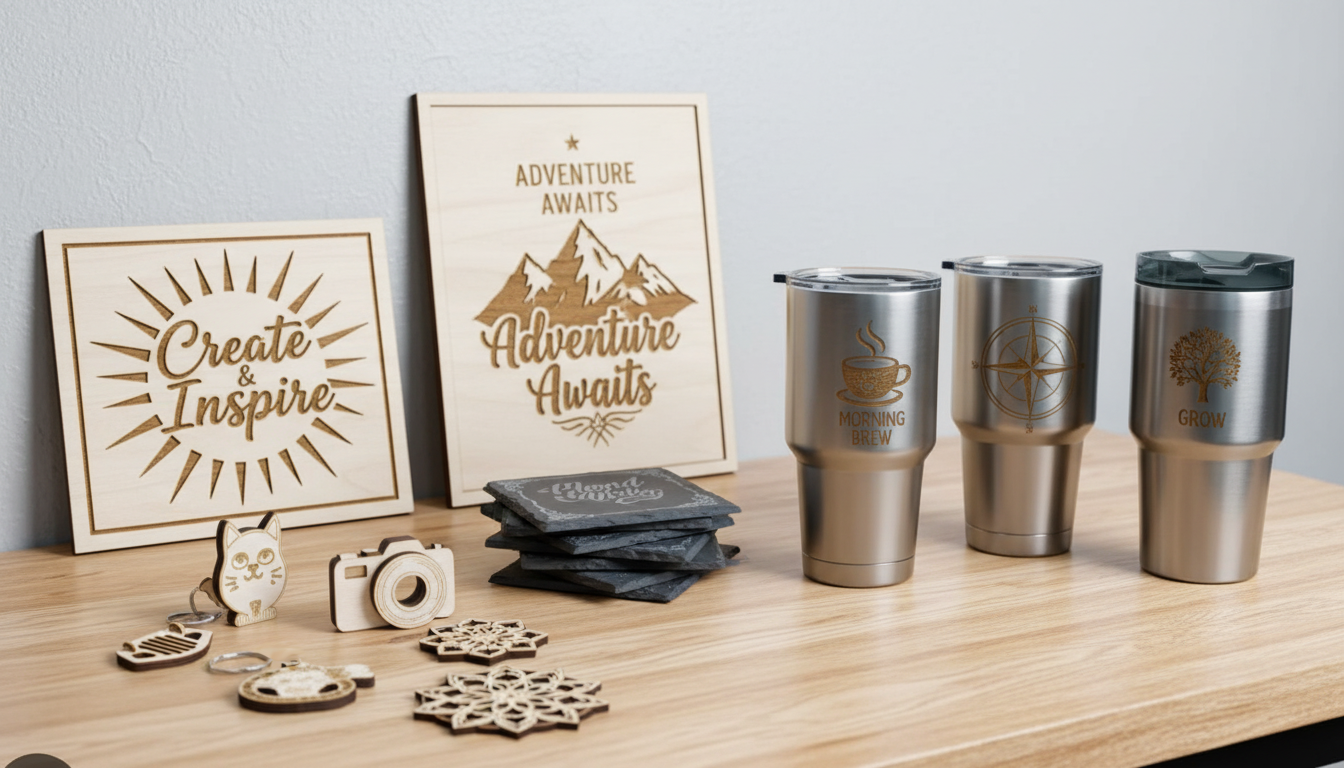
A complete guide to materials you can cut and engrave with a CO2 laser. Learn about wood, acrylic, leather, fabric, and more—plus materials you should never put in your laser.
How CO2 Lasers Interact with Materials
CO2 lasers produce infrared light at a wavelength of 10.6 micrometers. This wavelength is particularly well-absorbed by organic materials—things like wood, leather, fabric, and plastics. When the material absorbs the laser energy, it heats up rapidly, vaporizing or burning away.
Materials that don't absorb this wavelength well (like bare metals) simply reflect the beam, which is why CO2 lasers excel at organic materials but can't cut metal.
Understanding material properties helps you predict results and optimize settings.
Wood
Wood is the most popular material for CO2 laser cutting and engraving. The laser burns through the wood, creating a characteristic dark edge that many people find appealing.
Types of Wood
Plywood (Baltic Birch, MDF-Core):
- Consistent layers cut predictably
- Baltic birch is the gold standard—void-free, clean cuts
- MDF-core plywood cuts well but edges are less attractive
- Watch for imported plywood with voids or inconsistent glue
MDF (Medium Density Fiberboard):
- Very consistent, predictable cutting
- Dark, even edge color
- Budget-friendly
- Releases more particles—good ventilation essential
Hardwoods (Cherry, Maple, Walnut, Oak):
- Beautiful engraving contrast on lighter woods
- Dense woods require more power
- May need slower speeds for clean cuts
- Grain affects cut edge appearance
Softwoods (Pine, Cedar):
- Cut easily with less power
- Resin can cause flare-ups and inconsistent results
- More prone to charring
- Good for practice, less ideal for finished products
Wood Thickness Guidelines
- 40W: Up to 6mm (1/4") with effort
- 60W: Up to 10mm (3/8")
- 80W: Up to 15mm (5/8")
- 100W: Up to 20mm (3/4")
- 130W+: 25mm (1") and beyond
Tips for Wood
- Use air assist to reduce charring
- Mask surface with transfer tape for cleaner results
- Test each batch—wood varies
- Consider applying finish before engraving for cleaner results
Acrylic
Acrylic is the second most popular laser material. It cuts with beautiful, polished, flame-polished edges and engraves to a frosted white.
Cast vs. Extruded Acrylic
Cast Acrylic:
- Produced by pouring liquid acrylic into molds
- Engraves to brilliant frosted white
- Cuts with crystal-clear, polished edges
- More expensive
- Always use cast for engraving work
Extruded Acrylic:
- Produced by pushing acrylic through dies
- Engraves clear/shiny (poor contrast)
- Cuts well with similar edge quality
- Less expensive
- Fine for cutting-only applications
Acrylic Thickness Guidelines
- 40W: Up to 6mm (1/4")
- 60W: Up to 10mm (3/8")
- 80W: Up to 12mm (1/2")
- 100W: Up to 15mm (5/8")
- 130W+: 20mm (3/4") and beyond
Tips for Acrylic
- Keep protective film on during cutting (remove from engrave areas)
- Lower air assist pressure to avoid frosted edges when cutting
- Multiple passes at lower power often beat one high-power pass
- Clean with plastic polish, not glass cleaner
Leather
Leather cuts and engraves beautifully with a CO2 laser, making it ideal for custom goods, accessories, and fashion items.
Types of Leather
Vegetable-Tanned Leather:
- Best choice for laser work
- Engraves to a darker brown, branded appearance
- Cuts cleanly
- Natural material, safe to laser
Chrome-Tanned Leather:
- Can be lasered but produces different results
- May emit more fumes—good ventilation essential
- Test first
Synthetic/Faux Leather:
- Highly variable—some safe, some toxic
- PVC-based "pleather" releases toxic chlorine gas—NEVER laser
- PU (polyurethane) based synthetics are generally safer
- Always verify material composition before cutting
Applications
- Wallets and cardholders
- Belts and watch straps
- Bags and purses
- Labels and patches
- Bookmarks and journal covers
- Jewelry and accessories
Fabric and Textiles
CO2 lasers excel at cutting fabric, with the bonus of sealed edges that don't fray.
Natural Fabrics
- Cotton: Cuts well, slight brown edge
- Linen: Similar to cotton
- Silk: Cuts cleanly, sealed edges
- Wool: Cuts with slight melted edge
- Felt: Excellent results, popular for crafts
Synthetic Fabrics
- Polyester: Cuts with sealed, slightly melted edge
- Nylon: Similar to polyester
- Fleece: Cuts cleanly
Applications
- Appliqués and patches
- Custom patterns for sewing
- Promotional items
- Fashion and costume pieces
- Industrial textile cutting
Tips for Fabric
- Use a honeycomb bed for support
- Pin or weight fabric to keep flat
- Lower power settings—fabric cuts easily
- Test for synthetics that may melt excessively
Paper and Cardboard
Laser cutting enables intricate paper designs impossible with traditional tools.
Applications
- Wedding invitations and cards
- Architectural models
- Packaging prototypes
- Paper art and shadowboxes
- Business cards
- Stencils
Tips
- Very low power settings
- Fast speeds
- Watch for flash fires with extremely intricate cuts
- Air assist essential
- Keep fire extinguisher nearby
Glass (Engraving Only)
CO2 lasers can't cut glass, but they create beautiful frosted engravings by causing micro-fractures on the surface.
Applications
- Wine glasses and barware
- Awards and trophies
- Decorative panels
- Picture frames
- Mirrors (engrave from back)
Tips
- Apply masking tape or wet paper towel to prevent chipping
- Use lower power than you'd expect
- Multiple passes can deepen engraving
- Results vary by glass type—test first
- Rotary attachment needed for cylindrical items
Coated Metals (Marking Only)
While CO2 lasers can't cut or engrave bare metal, they work great on coated surfaces.
Anodized Aluminum
The laser removes the colored anodizing layer, revealing bright silver metal beneath. Perfect for:
- Data plates and labels
- Control panels
- Promotional items
- ID tags
Powder-Coated Metal
Removes the powder coating to reveal metal. Useful for signage and industrial marking.
Painted Metal
Similar to powder coating—removes paint layer.
Marking Compounds
Special sprays (like CerMark or similar) bond to bare metal when hit by the laser, creating permanent dark marks. Used for:
- Stainless steel marking
- Brass and copper marking
- Tool identification
- Medical device marking
Rubber
Rubber stamps are a classic laser application.
Applications
- Custom rubber stamps
- Gaskets
- Seals
Tips
- Use laser-specific rubber (not all rubber is laser-safe)
- Good ventilation essential—rubber produces significant fumes
- Engrave at lower power for crisp details
Foam
Various foams cut well for packaging and craft applications.
Safe Foams
- EVA foam: Craft foam, cosplay armor
- Polyethylene foam: Packaging inserts
- Depron: Model airplane construction
Applications
- Custom packaging inserts
- Cosplay and props
- Craft projects
- Case inserts
Stone and Slate (Engraving Only)
Natural stone engraves to a lighter color as the laser vaporizes the surface.
Applications
- Coasters
- Awards and memorials
- Signs
- Decorative tiles
Tips
- Natural variation in stone means variable results
- Higher power needed than most materials
- Produces dust—good extraction essential
Materials to NEVER Cut
Some materials release toxic gases or damage your machine. Never laser these:
PVC and Vinyl
Releases chlorine gas when heated. This is:
- Highly toxic to breathe
- Corrosive to your machine (destroys optics and metal parts)
- Creates hydrochloric acid in combination with moisture
If it contains chlorine, don't laser it.
Polycarbonate (Lexan)
Despite being a clear plastic like acrylic:
- Burns rather than vaporizes
- Produces toxic fumes
- Discolors and doesn't cut cleanly
- Often catches fire
ABS Plastic
Common in 3D printing, but:
- Produces toxic fumes
- Melts rather than cuts
- Creates mess in machine
HDPE (High-Density Polyethylene)
Melts and warps rather than cutting. Creates mess.
Fiberglass and Carbon Fiber
Releases toxic particles. Carbon fiber can also catch fire.
Materials with Unknown Composition
If you don't know exactly what a material is made of, don't laser it. The risk isn't worth it.
Material Thickness Limits by Wattage
General cutting guidelines (single pass, organic materials):
WattageWoodAcrylicLeather 40W6mm6mm3mm 60W10mm10mm5mm 80W15mm12mm6mm 100W20mm15mm8mm 130W25mm20mm10mmThese are guidelines. Actual results depend on material density, laser quality, focus, and settings.
Find the Right Laser for Your Materials
Different applications need different capabilities. The materials you work with determine the power, features, and price point you need.
Contact our team to discuss your material requirements. We'll help you match machine capabilities to your specific applications.
Browse our laser equipment to see what's available with full US support.
Ready to get started?
Browse our equipment inventory or get in touch with our team for expert advice on your next project.