Everything you need to know about building your own CNC router from scratch. Compare DIY costs, components, and learn when buying pre-built makes more sense.
Building Your Own CNC Router
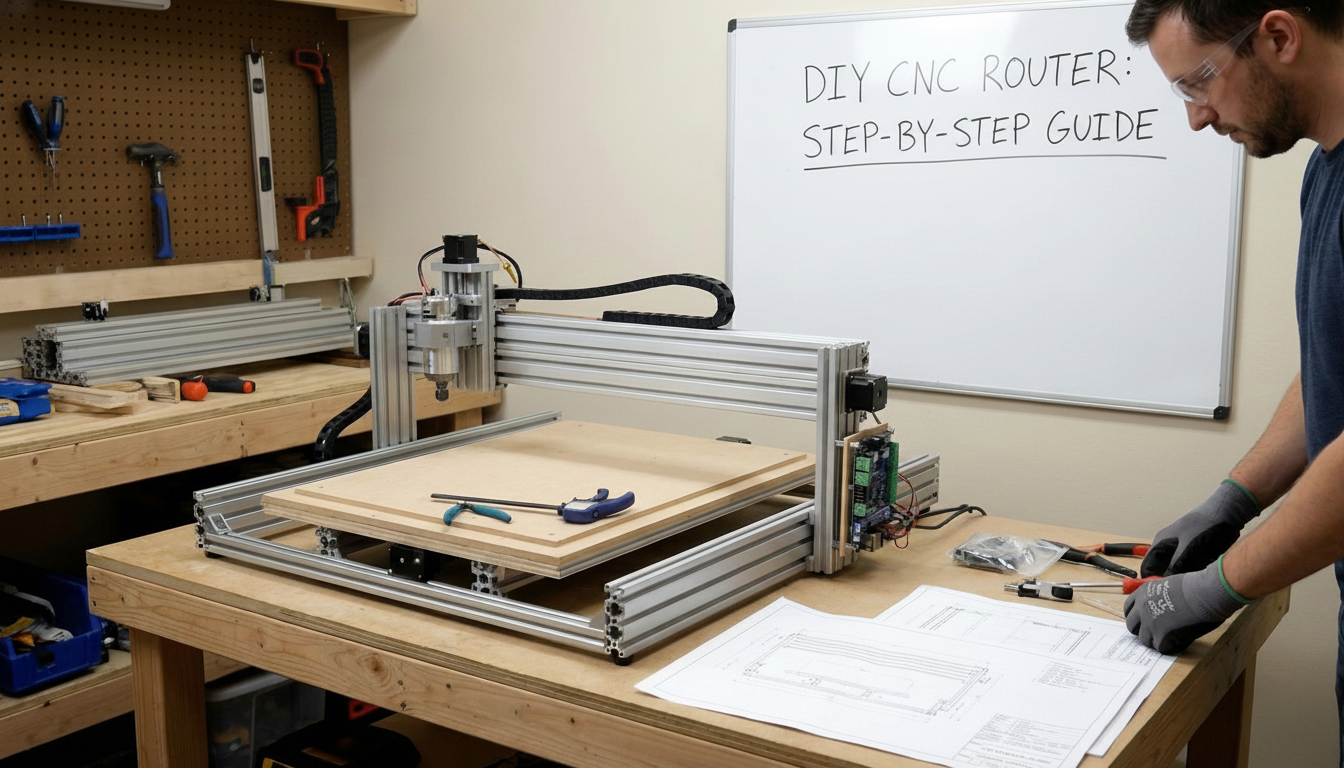
The DIY CNC router community has grown substantially, with makers sharing plans, kits, and knowledge. Building your own machine can be rewarding and educational, but it's not right for everyone. This guide covers what's involved so you can make an informed decision.
Why Build a DIY CNC Router?
People choose to build their own CNC routers for several reasons:
- Cost savings: DIY builds can cost less than equivalent commercial machines
- Customization: Design exactly what you need for your space and applications
- Learning: Deep understanding of how CNC machines work
- Satisfaction: Pride in creating your own tools
- Repairability: Complete knowledge of every component simplifies troubleshooting
Essential Components
Every CNC router requires these core components:
Frame and Structure
The frame provides rigidity and determines overall machine size. Common materials include:
- Aluminum extrusion: Popular for its balance of strength, weight, and ease of assembly. 80/20-style profiles are common.
- Steel: Maximum rigidity for larger machines but heavier and requires welding skills.
- MDF/Plywood: Budget option for smaller machines, less rigid over time.
Linear Motion System
Components that enable smooth, precise movement:
- Linear rails: Supported rails (SBR) or profile rails (HGR) for guidance
- Lead screws or ball screws: Convert motor rotation to linear movement
- Anti-backlash nuts: Eliminate play in the drive system
Motors and Drives
Stepper motors are standard for DIY builds due to cost and simplicity. NEMA 23 motors suit most builds, with NEMA 34 for larger machines. You'll need stepper drivers for each axis.
Controller
The controller interprets G-code and signals the motors:
- GRBL on Arduino: Simple, affordable, limited to 3 axes
- Dedicated motion controllers: More capable but costlier
- Computer with breakout board: Runs Mach3/4 or LinuxCNC
Spindle
The cutting motor that holds your bits:
- Trim routers: Budget option (DeWalt, Makita), loud but effective
- VFD spindles: Quieter, speed-controlled, require separate power supply
Popular DIY CNC Designs
MPCNC (Mostly Printed CNC)
Uses 3D-printed parts with conduit or tubing. Affordable entry point but limited rigidity for serious work.
OpenBuilds-Style Machines
V-slot aluminum extrusion with wheels for motion. Good balance of cost and capability.
PrintNC
Steel tube frame design optimized for rigidity. Popular with those cutting aluminum.
Custom Designs
Many builders design from scratch using CAD software and machine their own parts.
Cost Breakdown
A typical DIY CNC router build costs:
- Budget build (2' x 2'): $500-800
- Mid-range build (2' x 4'): $1,000-2,000
- Quality build (4' x 4'): $2,500-4,000
- Premium build (4' x 8'): $5,000-8,000+
These estimates include frame, motion components, electronics, spindle, and basic accessories. Tools needed for assembly add to initial investment.
Skills Required
Building a CNC router requires various skills:
- Mechanical assembly: Precision alignment is critical for accuracy
- Basic electrical: Wiring motors, drivers, and power supplies
- Computer skills: Software configuration and troubleshooting
- Problem-solving: Diagnosing and fixing inevitable issues
- Patience: DIY builds take significant time to complete properly
Build Timeline
Realistic timeframes for DIY builds:
- Planning and sourcing: 2-4 weeks
- Frame assembly: 1-2 weekends
- Motion system installation: 2-3 weekends
- Electronics and wiring: 1-2 weekends
- Configuration and tuning: 2-4 weekends
Total: 2-4 months working weekends, longer for complex builds or learning as you go.
Common Challenges
Be prepared for these typical issues:
- Squaring the frame: Getting everything perfectly aligned takes time and precision
- Electrical noise: Stepper motors can interfere with limit switches and other electronics
- Software configuration: Steps per mm, acceleration, and other parameters need careful tuning
- Unexpected costs: Small parts and shipping add up quickly
When to Buy Instead
Consider purchasing a pre-built machine if:
- Time is valuable: Months of build time vs. days to production
- You need reliability: Commercial machines come tested and supported
- Business use: Downtime for debugging affects revenue
- Limited workspace: Building requires significant temporary space
- You want warranty coverage: DIY means you're the support department
The Best of Both Worlds
Many manufacturers offer CNC router kits that balance DIY satisfaction with proven designs. You handle assembly while benefiting from engineered components and technical support.
Whether you build or buy, explore our CNC router options to understand what's available at various price points. Our team can help you evaluate whether DIY makes sense for your situation.
Ready to get started?
Browse our equipment inventory or get in touch with our team for expert advice on your next project.